Build Intelligent Chatbots with Taskyto
A web platform designed to facilitate the development and deployment of task-oriented chatbots using the Taskyto domain-specific language. Featuring an AI-powered assistant to accelerate your workflow.
What is Bot-Craft?
Conversational agents are gaining prominence as a way to interact with software systems. While Taskyto facilitates chatbot construction with a domain-specific language, it can still be complex for non-experts.
Bot-Craft solves this by providing a web platform that enables chatbot development using Taskyto and the deployment of the generated chatbots. It features an intelligent assistant capable of producing Taskyto code from natural language, significantly accelerating the development cycle.
Taskyto Framework
Taskyto simplifies development by replacing manual intent definition with a modular YAML specification. It combines the smart conversational flow of LLMs with the reliability of intent-based systems.
Menu Module
Acts as a router, presenting the user with conversational choices. Each choice can lead to another module, a sequence, or a direct answer. Typically used as the main entry point.
Sequence Module
Defines a fixed chain of conversation steps. Essential for guiding the user through multi-step processes like order checkouts, ensuring modules execute in the correct order.
Question Answering
Holds a list of predefined question-answer pairs. Uses an LLM to semantically match user queries to the most appropriate question without needing multiple training phrases.
Data Gathering
Collects specific information (e.g., name, pizza size) from the user. Supports various data types including enums and soft types like "Person name".
Action Module
Executes custom Python code using data collected from preceding modules. Useful for performing final actions like calculating prices or processing orders.
The Platform
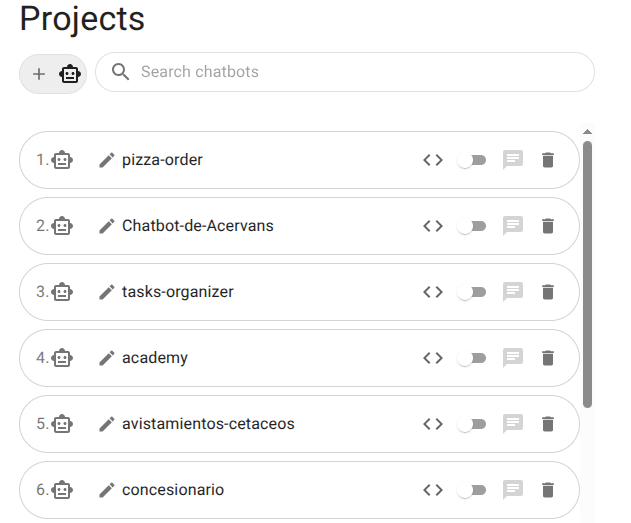
Project Management
Manage your chatbot projects from a single control panel. Create new chatbots, rename them, or delete existing ones with ease. A secure login system ensures every developer has their own private workspace.
Online Code Editor
A powerful workspace for creating and editing YAML configuration files. Features syntax highlighting, a file explorer, and real-time error checking. It offers a familiar development environment for both novice and expert developers.
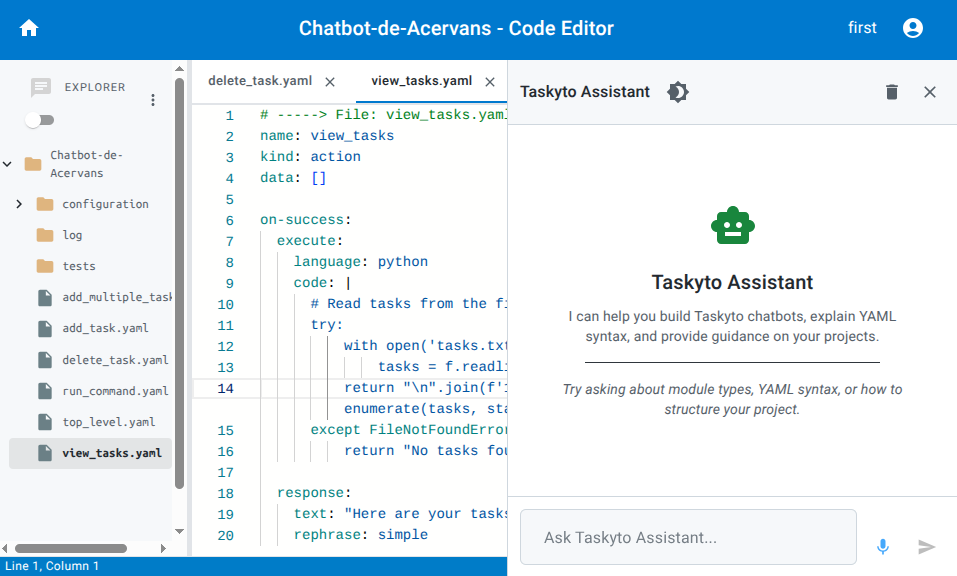
Intelligent Assistant
An AI-powered helper integrated into the editor. Ask questions in natural language to get answers about syntax, suggest code snippets, or generate entire YAML modules. It's like having an expert partner by your side.
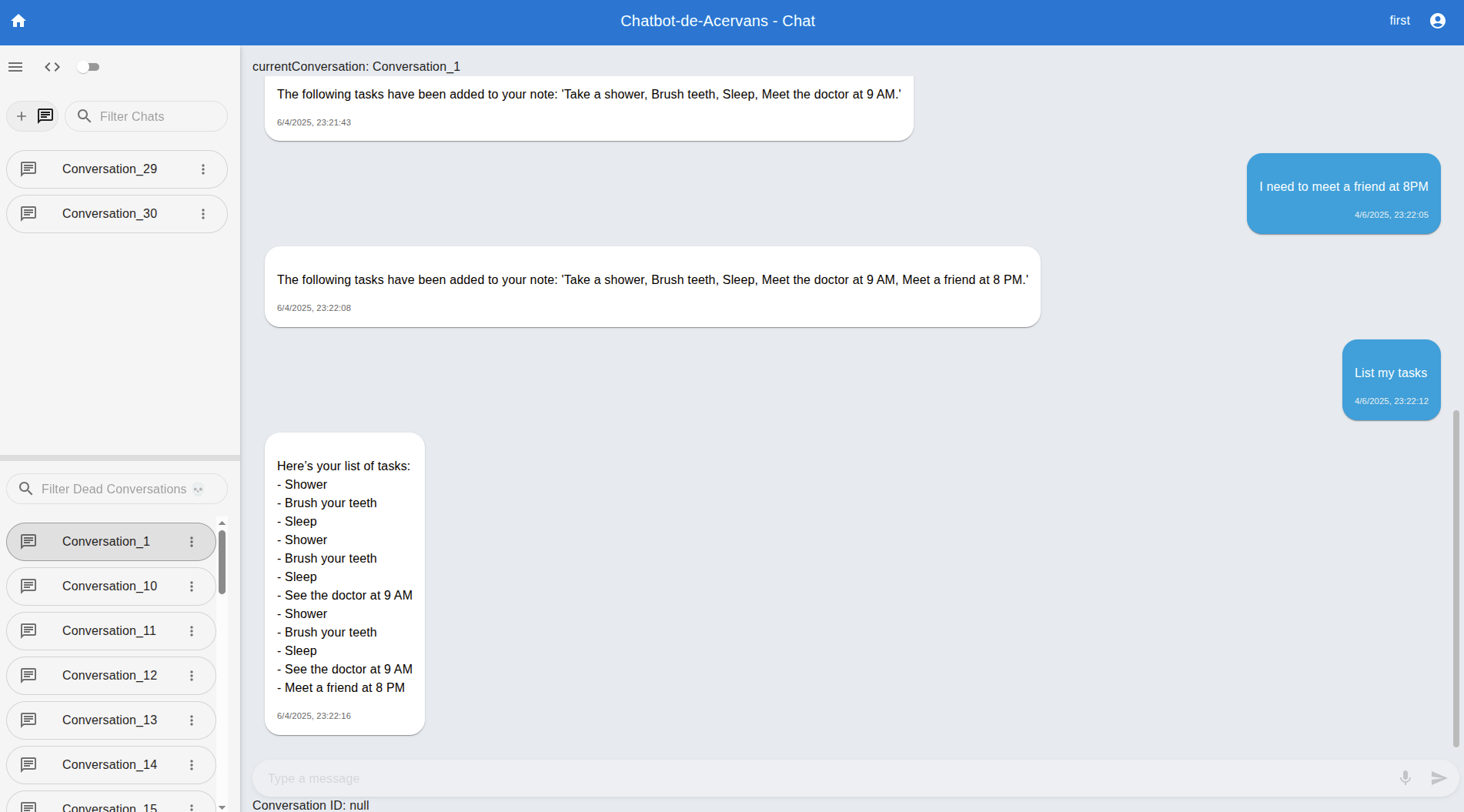
Interactive Chat
Test your chatbot instantly with a chat interface that feels like ChatGPT. Fix problems right away and iterate quickly by switching between coding and testing.
See it in Action
Platform Walkthrough
A complete tour of the Bot-Craft platform.
Automated Code Integration
Demonstration of the AI assistant's code generation capabilities.
Deployment & Installation
Requirements
- Docker: Installed on your machine.
- OpenAI API Key: Required for the `gpt-4o-mini` model.
1. Clone the Repository
git clone --recurse-submodules https://github.com/bot-craft/bot-craft-code.git --branch=dev
cd bot-craft-code
2. Setup Submodules
cd chatbot-llm
git checkout bot-craft-integration
cd ..
3. Configuration
Create a .env file in the root folder:
echo "REACT_APP_IP_ADDRESS = \"localhost\"" > .env4. Run with Docker
docker compose up -d5. Access
Open your browser and navigate to:
http://localhost:9000